
Here is a clear and detailed explanation in English:
This section provides a centralized place to manage different types of resources. There are three main types of resourcesavailable, each serving a specific purpose.
First, General Resources are used to store and manage standard resources such as materials, tools, references, or any general items that need to be recorded and tracked.
Second, Buy List resources are used to create shopping or purchasing lists. These lists help organize items that need to be bought, making it easier to manage procurement and ensure that required items are not forgotten.
Third, Resource Reports are used to generate reports related to resources. In this type, you can specify the timing or schedule for the report, which is useful for periodic tracking, monitoring usage, or reviewing resource status over time.
All resources in this section can be organized using the Category tab. Categories help group related resources together, making them easier to find, filter, and manage efficiently, especially when working with a large number of resources.
Here is a clear and improved explanation in English:
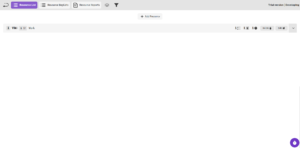
By clicking the Add Resource button, you can create a new resource by filling in the required fields, including Name, Number, Resource Type, Unit, Cost, and Overtime Pay. You also have the option to assign a Category and add a Description to provide additional details about the resource.
After a resource is added, you can manage it easily. You have the ability to edit the resource to update its information or delete it if it is no longer needed. Additionally, by clicking the down arrow icon, you can view the full details of the resource without opening a separate page.


