
To add a subtask, simply enter the desired task and you can quickly create your subtask by clicking on the Text or Voice option then click on Add button.
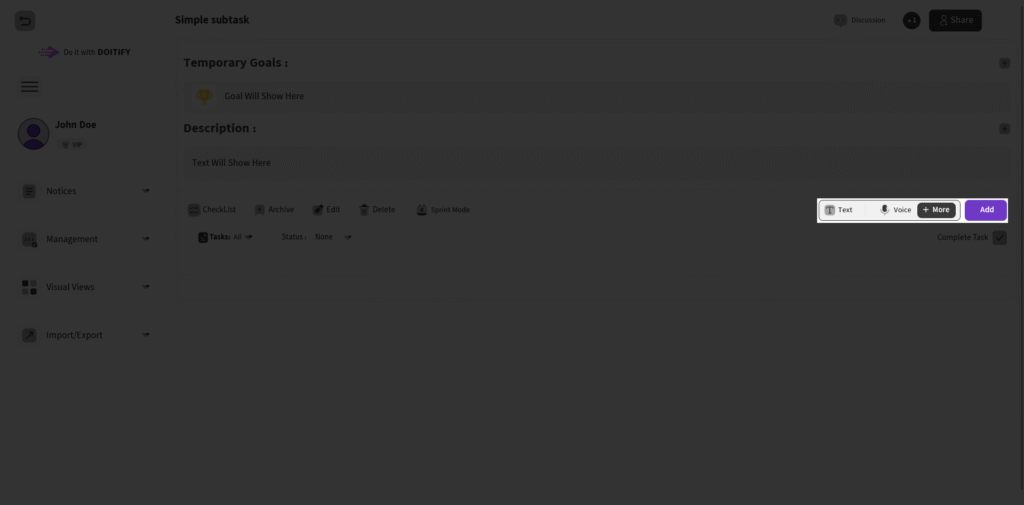
However, if you want to add your sub-task with more details, simply click the More button.
Steps: #
- SubTask Name: Enter a brief title in the “SubTask Name” field.
- Voice Record: Click + Add Voice to record your voice and attach it to the subtask.
- Timing Mode: Select Without Time for flexible subtasks (other options like Manually Duration, Date, or Loop may be available for recurring or deadline-based planning).
- Task Manager and QC Manager: Assign board members to these fields for oversight and quality control.
- Dependency (for WBS & Gantt): Choose None for independent subtasks, or select FS (Finish-to-Start) for the subtask to start after its predecessor finishes, FF (Finish-to-Finish) for alignment on completion, SS (Start-to-Start) for simultaneous starts, or SF (Start-to-Finish) for the subtask to finish after its predecessor starts—perfect for nested workflows and agile alignment.
- Is Child?: Check Yes if this subtask is a child of another.
- Milestone?: Check Yes to mark it as a milestone.
- Add Sub-task: Hit the purple Add Sub-task button to create it. The subtask auto-assigns to the task.
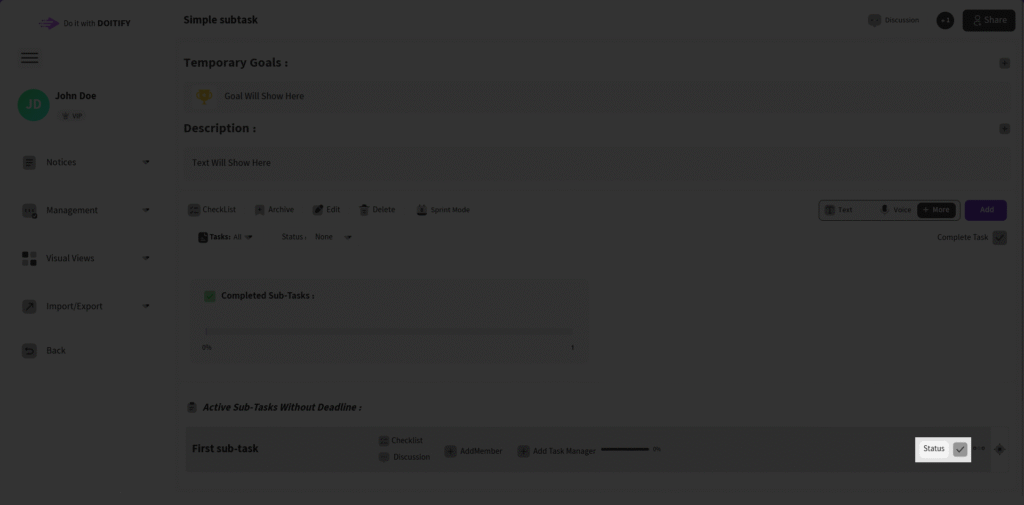
you can change the status of the sub-task like changing the task status
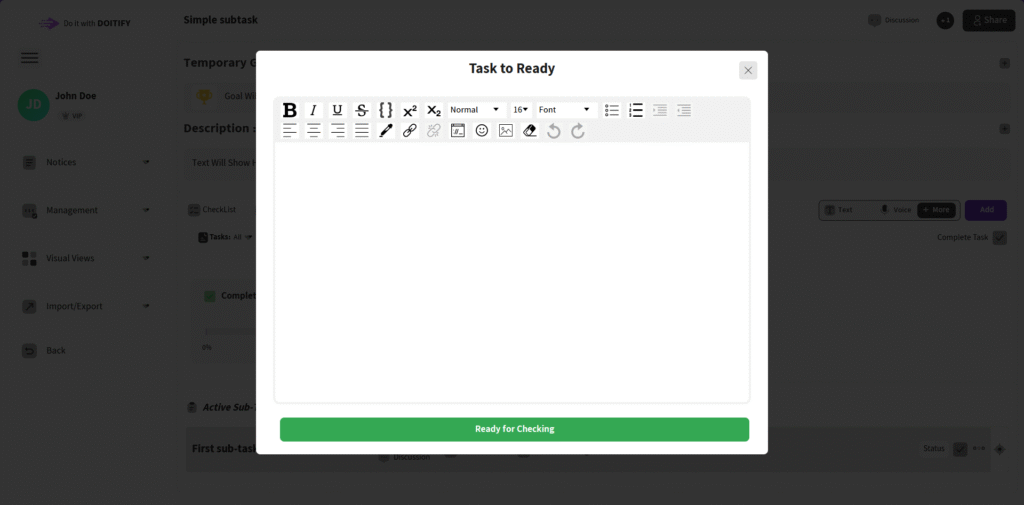
if you are a simple user and its your task , after completing this sub-task you can check it and add a description (Optional)
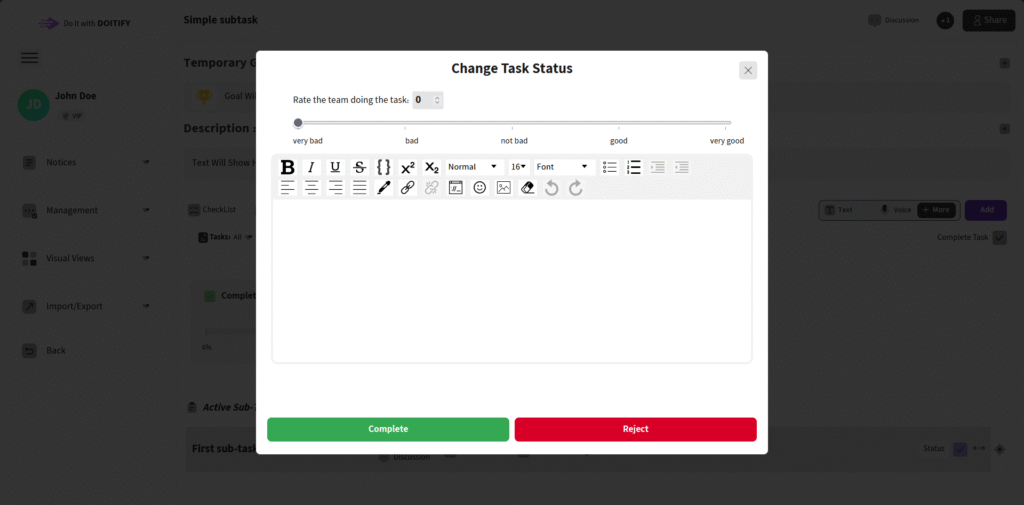
admin or QC manager can complete or reject this and rate from 0 until 100 and you can also add a description
Frequently Asked Questions #
Doitify Board #
How do I log a daily report in a Board ?
From Notices drop down in the sidebar, select “Report Daily Works,” enter your work details and time, then submit.
How do I leave a Board ?
click “Leave Board” in the Members section. Owners should first transfer ownership.
How do I change Board settings ?
From the left sidebar, open Project Settings drop down and click on options like General, Package, or Automation.
How do I use Chat and Discussion on a Board ?
Chat for real-time team messaging with timestamps; Discussion for topic-based threads—use Advanced for voice, photos, or private messages, with sidebar toggle.
How do I track progress on a Board ?
Two progress lines show completion: one by task count (e.g., 6% done), another by start time to last deadline for estimated finish—view granular subtasks for detailed breakdowns.
How do I add members or teams to a Board ?
Click on Share button in header or open Project Settings drop down in side bar and click on Members , click add new members , assign roles (task manager, QC), and set permissions—groups allow bulk duty assignment for employer management.
How do I set up sprint mode on a Board ?
Click Sprint Mode in the toolbar to filter tasks by deadlines and dates, set sprint duration, and track velocity—perfect for agile techniques
How do I set up sprint mode on a Board ?
Click Sprint Mode in the toolbar to filter tasks by deadlines and dates, set sprint duration, and track velocity—perfect for agile techniques
Can I customize columns on a Board ?
Yes, click the Columns button in a board to open “board column settings”, add/edit columns or COSs, reorder by dragging, and delete unnecessary ones—default columns like “Pend” can be expanded for statuses like active or completed.
How do I add tasks to a Board ?
In the Board view, click Text, Voice, or More in the top toolbar—use Text for quick entry, Voice for dictation, or More for advanced details like subtasks, deadlines, assignments, and attachments.
How do I create a new Board ?
Click the + New Board in the Board page in Dashboard, enter a name , choose if it’s a child of an existing board (for hierarchy), and click on Create Board — it auto-sets up default columns like “Pend” for quick onboarding.
What is a Board in Doitify ?
A Board is a visual workspace for organizing tasks, subtasks, and workflows using Kanban or COSs, enabling drag-and-drop management, status tracking (active, under checking by QC, rejected, completed), and integrations with CRM, Gantt charts, and reports.


