
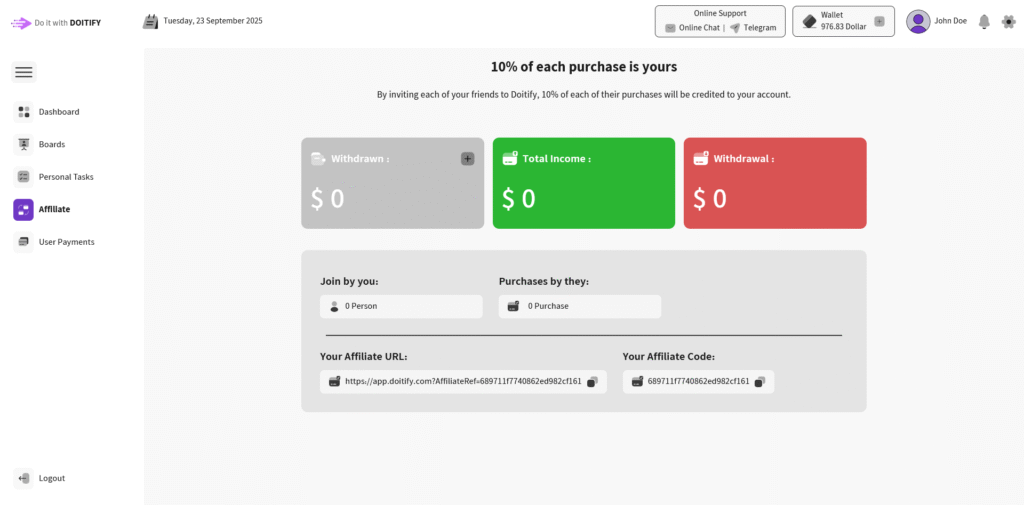
The Affiliate Page is designed to help users manage their referral program and track their earnings from inviting new people. At the top, it highlights the main benefit: you earn 10% of every purchase made by the users you refer.
The page shows a clear income summary, including your total earnings, the amount you have withdrawn (By clicking the plus button in the Withdrawn Card, you can submit your withdraw request.), and any pending withdrawals.
It also provides details about how many people have joined through your referral link and how many purchases they have made. To make sharing easier, the page gives you both a unique referral URL and a personal affiliate code, each with a quick “copy” button.
Frequently Asked Questions #
Doitify Dashboard #
Where is my payments history ?
By clicking on User Payments option in menu , you can see your payment history with accurate date
What is Affiliate ?
Earn 10% of each purchase by sharing your unique Affiliate URL and Affiliate Code with others
What can Personal Tasks page do ?
Choose Normal/Weekly for regular tasks, Short Term or Long Term for specific durations, and manage your Tasks — perfect for managing your individual workload with task statuses, time tracking, and action icons (check, edit, delete). in Weekly Plan part you can add your plan and it shows on calendar
Where can I see the Boards ?
By clicking on Boards option in menu , you can see the boards and add new one
How can I complete my info ?
By clicking on your profile in header or “complete your info” button in dashboard page , you can complete your info step by step
What can I do with Wallet ?
You can charge your wallet by clicking on the plus icon, and you can also extension or upgrade your package.
What can I do in the settings?
change language , calendar type , enable/disable email/SMS notification , choose theme (Light , Dark , Customize , Image)


